


Follow these steps to redeem your V-Bucks!
Fortnite's in-game currency, V-Bucks, allows players to purchase everything desirable, from the Battle Pass to the various items in the Item Shop. Are you looking to get the hot new skin on the market? You must acquire Fortnite V-Bucks and redeem them in-game, but how?
This article explains everything you need to know about redeeming V-Bucks, from how to acquire V-Bucks cards, how to redeem those V-Bucks, and, finally, how to use V-Bucks in Fortnite.
How to redeem Fortnite V-Bucks (Quick Steps)
- Sign in to your Epic Games account
- Go to the Redeem Code page
- Enter your Fortnite V-Bucks code
- Select your platform
- Launch Fortnite to see your balance
Where to redeem Fortnite V-Bucks Codes
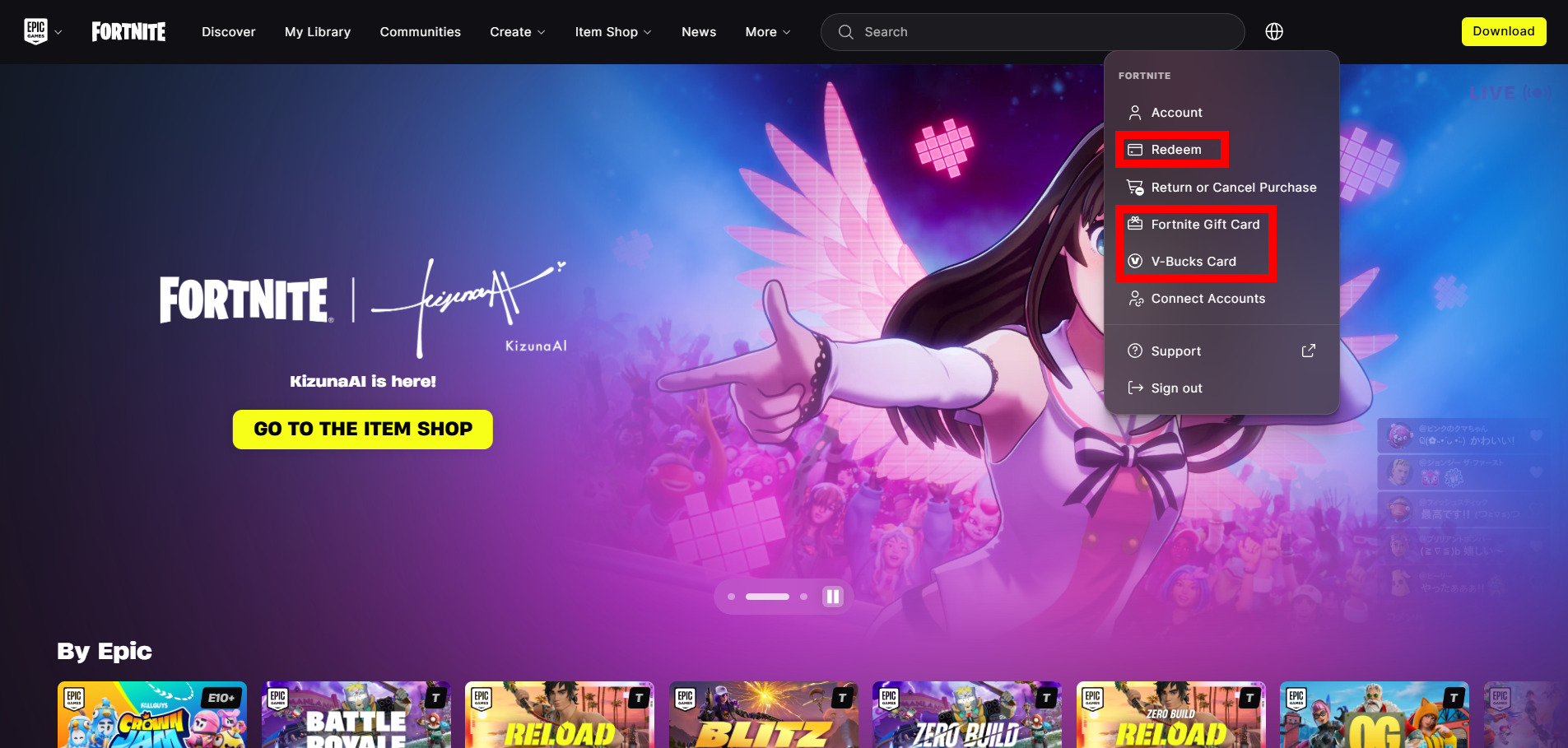
It's important to remember that you cannot redeem Fortnite V-Bucks Codes in the Fortnite game. Instead, you must do so on Fortnite's official website. The image above shows where you can enter the code, whether it's from a legacy V-Bucks card or a newer Fortnite Gift Card.
All you have to do is log into your Epic Games account and click on your Epic Username to open the menu depicted in this image.
How to redeem Fortnite V-Bucks Codes


So, you have a card to redeem Fortnite V-Bucks and want to know how to use them. First, you must ensure that you have an Epic Games account. This account is what you use when you log into Fortnite and play the game. It would be linked to a familiar email address with a password and, ideally, two-factor authentication enabled (2FA).


If that all sounds familiar, you can log in to your Epic Games account to redeem your Fortnite V-Bucks. Once you have reached your account, click the "Redeem Code" option at the bottom of the sidebar. On the following page, there is space to enter a code. However, if you have a Fortnite gift card (pictured above), click the link at the bottom of the "Redeem Code" page.
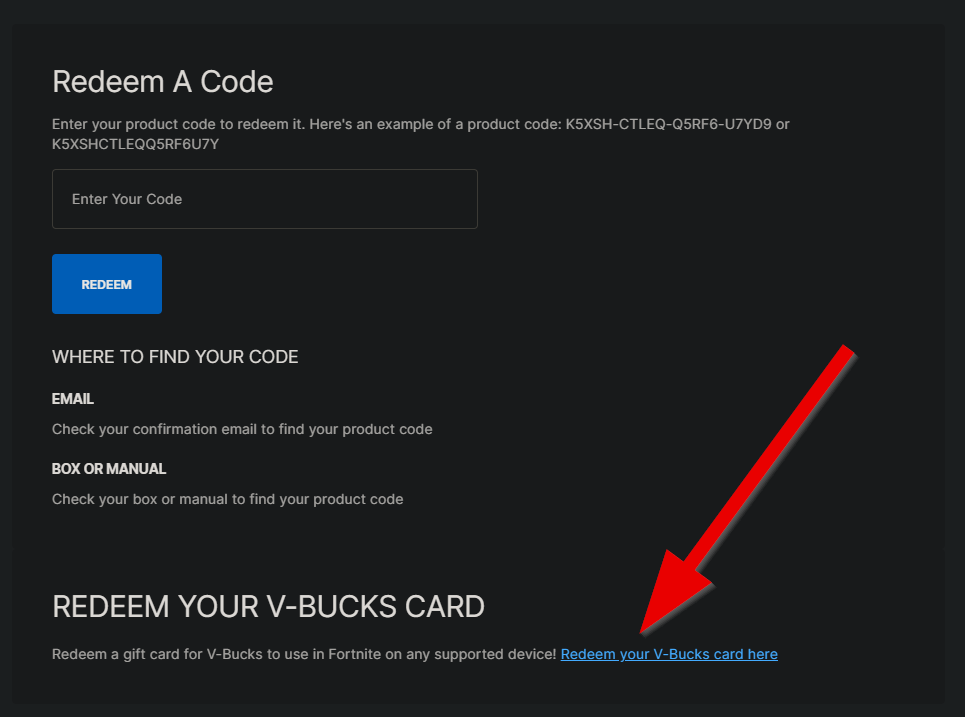
On the next page, you can locate the PIN code on the back of the Fortnite V-Bucks gift card. You can plug that code into the box, click 'Next,' and select your desired platform. Then, once you load into Fortnite, the balance should be reflected.


What to do if the code doesn't work
It's possible that the V-Bucks Card or Gift Card doesn't work as expected, so you may not be able to redeem them for use in Fortnite. If that's the case, you may have received a card that was already used. Your best bet in that case would be to contact the retailer and explain the situation.
Otherwise, the retailer may not have properly activated the V-Bucks Card or Gift Card, so you must contact the store where you purchased it. It's always a good idea to ensure you receive the activation receipt for any Gift Card purchase.
What can I do with Fortnite currency?
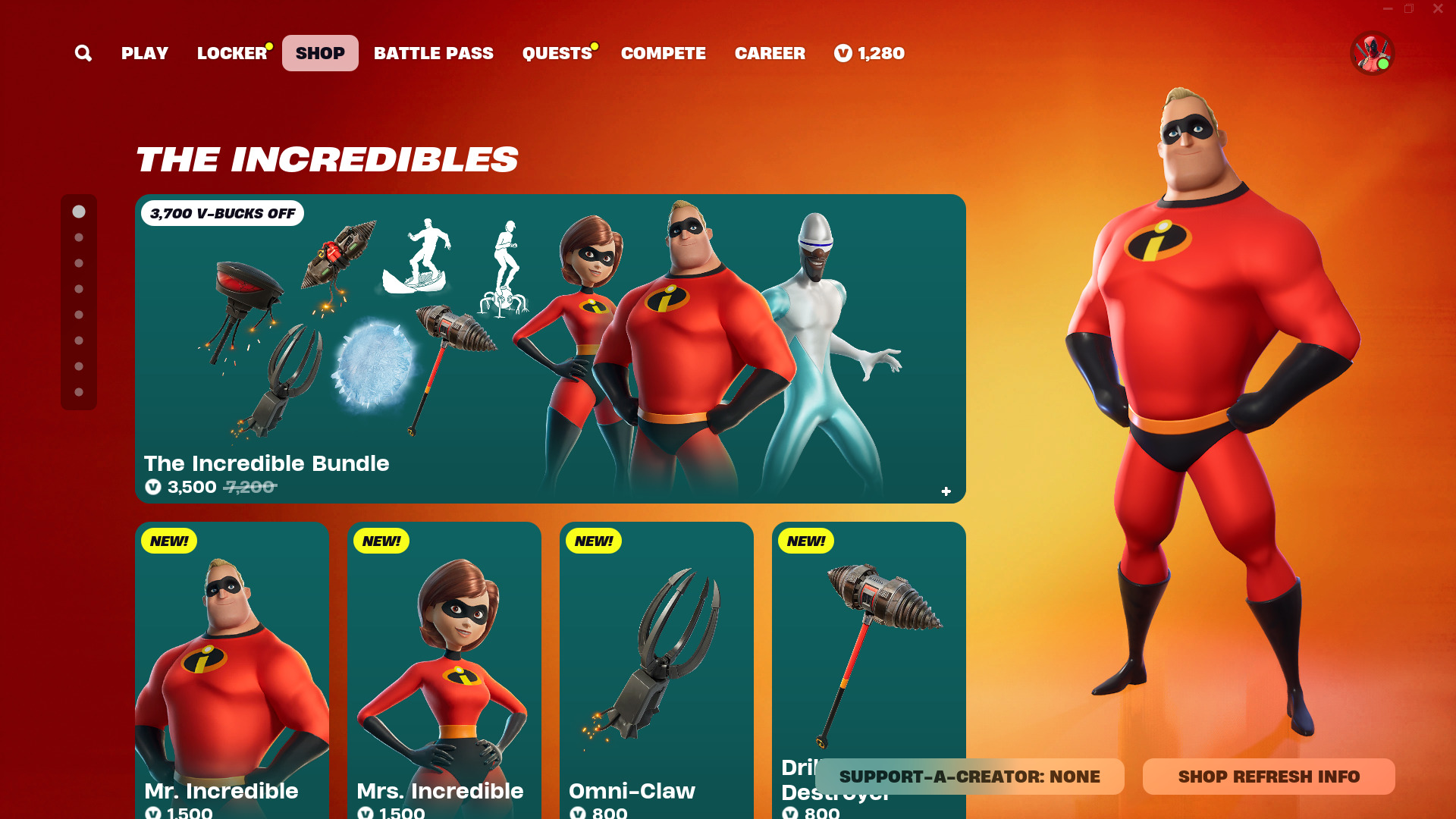
Fortnite Item Shop (Image Credit: Epic Games)
After redeeming your Fortnite V-Bucks gift card, you can purchase items at the in-game Item Shop or the recently launched Web Shop. The currency allows you to buy Outfits, Back Blings, Emotes, Gliders, Pickaxes, Fortnite Festival Jam Tracks, Instruments, and more. If nothing stands out, you can save your currency for something that catches your eye.
Fortnite V-Bucks Code and Gift Card FAQ
- Can I redeem gift cards and/or codes on mobile devices or tablets? Yes, the process may be a bit more tedious, but you can follow the same steps outlined above.
- What happens if I redeem Fortnite V-Bucks on the wrong platform? Your Epic Games username should be associated with every platform you play Fortnite on. So, the V-Bucks balance should be the same across all accounts, i.e., PlayStation, Xbox, etc. If you are still experiencing issues, you should contact Epic Games support.
- Do Fortnite V-Bucks redeem codes expire? No, V-Bucks Cards and Gift Cards do not expire.
- Can Fortnite redeem codes be used more than once? No, they will be unusable after the first redemption.
- Why didn’t my V-Bucks show up after redeeming the code? You may have to close and reopen Fortnite to see the correct balance.
Stay tuned to esports.gg for more Fortnite and esports news!


